Blog | Winter 2025 Software Update
If you thought last year's Winter update was a big deal, you're going to love this one! We're giving the gift of time with this FREE update. Keep reading to learn what's new with the Winter 2025 Software update! This update includes something for users of VC6, 5, 4, and 3!
The Smart Optimizer is here! | VC6
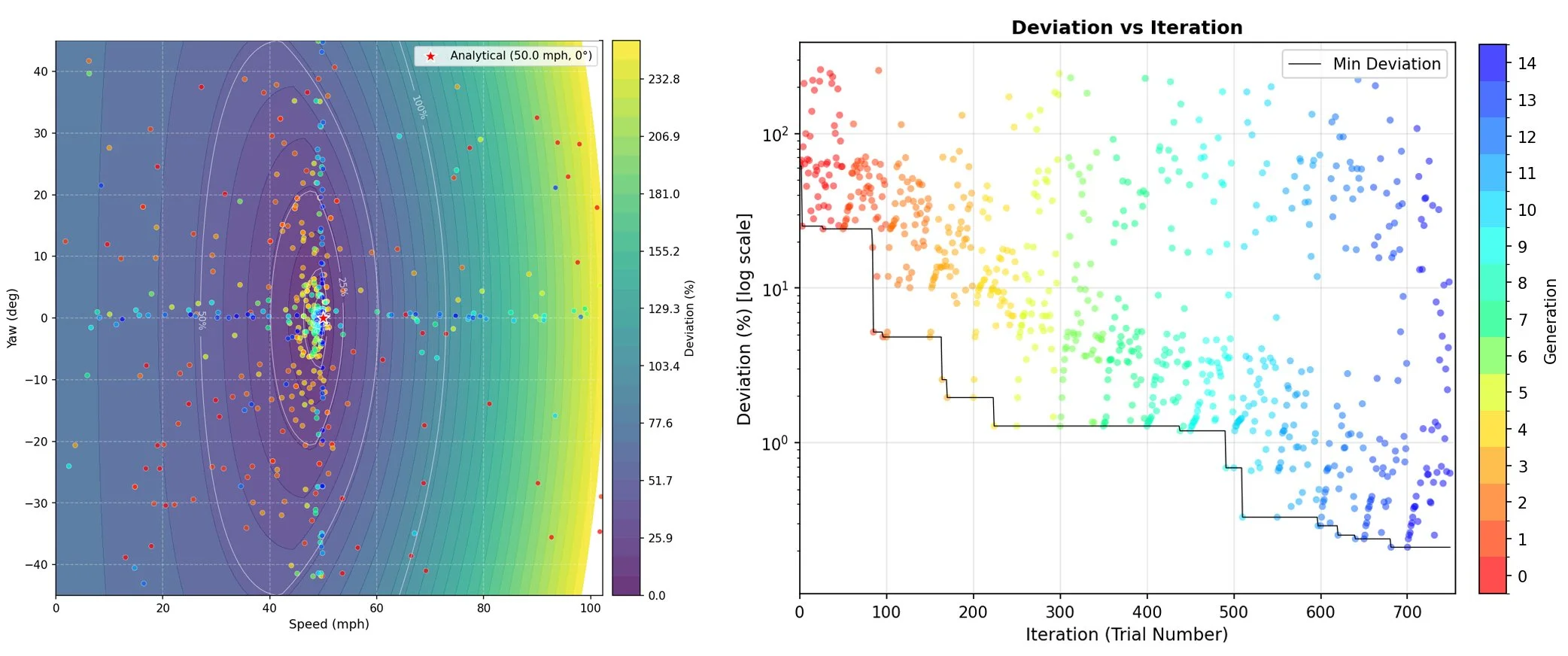
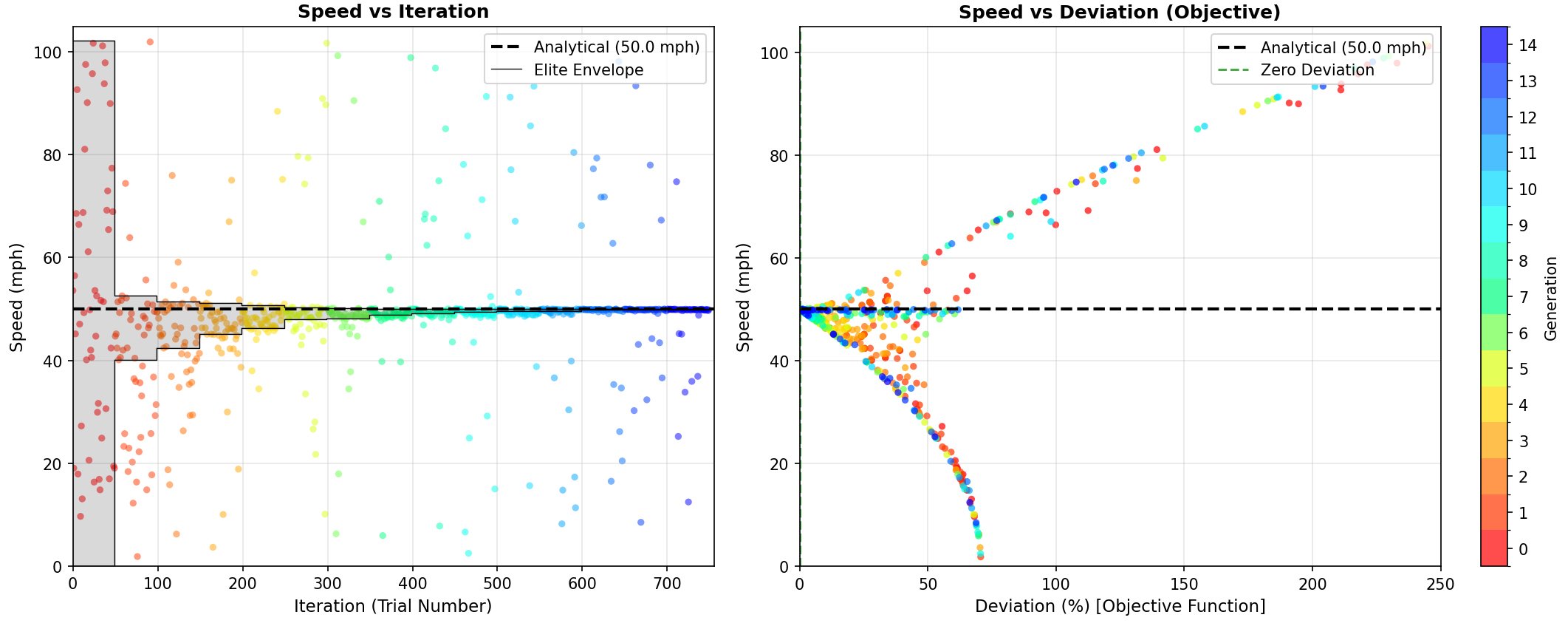
You’ve been waiting for this and now it’s here! Virtual CRASH 6 introduces the new Smart Optimizer, an advanced search and optimization tool designed to streamline the accident reconstruction process. This powerful system automatically iterates over your selected input variables, such as speeds, positions, impact parameters, and more, in order to rapidly generate a range of simulation scenarios that align with the physical evidence. Learn more >
Improvements to Easy Video and Image Analysis Tool | VC6
PAR Not Equal to 1:1
Videos with pixel aspect ratio not equal to 1:1 will now be corrected.
Extend Boundaries
By default, when you calibrate your camera using the Easy Video and Image Analysis Tool, the image plane boundaries are set to show only the best region of the undistorted composition. This crops out areas where no pixel data exists after correction. To adjust this, go to the "Background" menu after calibrating your camera. Use "Extend Boundaries" to reveal more of the original image or video, including edge regions that may appear black or incomplete.
Note that while object tracking, the full video is shown by default. However, when viewing your subject video or image through the solved camera, you may want to see the superimposed composition alongside your scene data. Use "Extend Boundaries" to accomplish this.
Here we see the resulting extended region.
Watch the video below to see it in action.
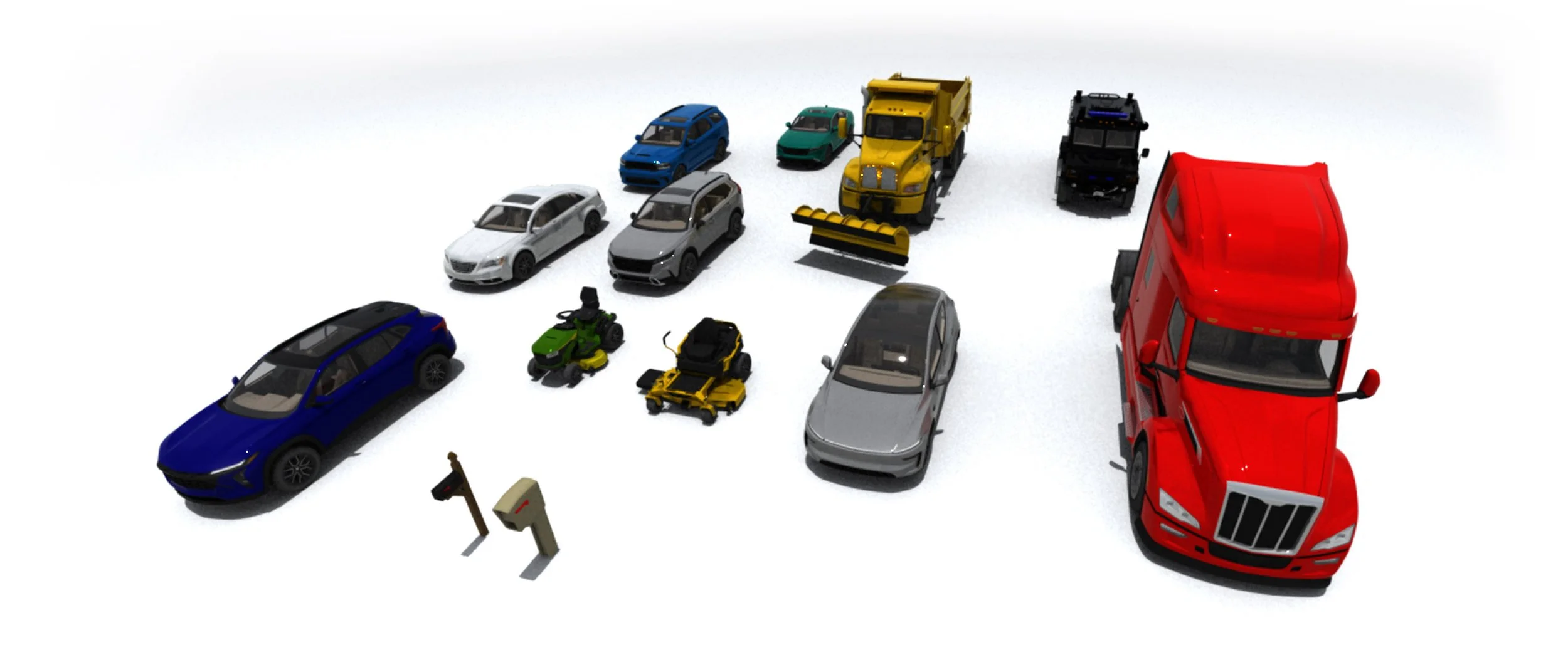
New vehicles and objects | VC6
Telsa Model Y (2025)
Honda CR-V (2023)
Honda Accord (2023)
Dodge Durange (2021)
Chrysler 200 (2011)
Chevrolet Trax (2024)
Peterbilt 579 (2021)
Mailboxes
The models below can also be directly downloaded in vc6 format (due to the asymmetries of the meshes exclude overlapping right/left is adjusted to appropriate values):
Riding Lawn Mower (download .vc6)
Zero Turn Lawn Mower (download .vc6)
Lenco BearCat (2005) (download .vc6)
Kenworth Snow Plow (download .vc6)
New Objects | VC5
gallery > other 3d > miscellaneous: Bench 1, Metal Trash Can
gallery > textures > concrete: asphalt4, brick1
gallery > textures > miscellaneous: CG, Scalebar (for use with 3D box objects), Visible zone projection map (for use with volumetric light tool projection map)
gallery > textures > wheels: disc7, disc8, disc9
New Objects | VC4
gallery > other 3d > miscellaneous: Bench 1, Metal Trash Can
gallery > textures > concrete: asphalt3, brick1
gallery > textures > miscellaneous: CG, Scalebar (for use with 3D box objects), Visible zone projection map (for use with volumetric light tool projection map)
gallery > textures > wheels: disc7, disc8, disc9
New Objects | VC3
gallery > other > miscellaneous: Bench 1, Metal Trash Can
gallery > textures > concrete: asphalt4, brick1
Upcoming in-person training classes